
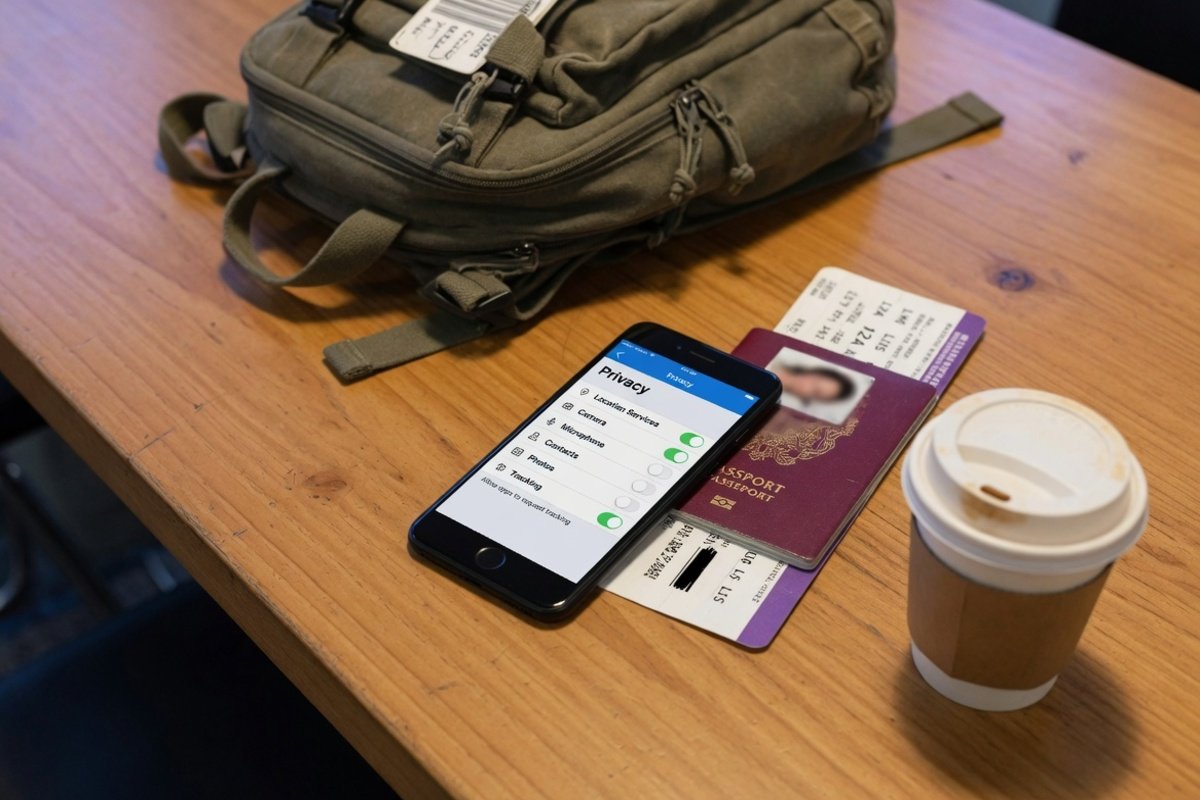
Stop 4 Instagram Tracking Pipelines Before Your Next Trip
Sunset Weekly Disclosure: To help keep our guides free, this post contains affiliate links. If you click through and make a booking (such as hotels, flights, tours, or travel experiences), we may earn a commission at no extra cost to you. Sunset Weekly is an independent travel and lifestyle publication. While we may receive compensation from affiliate partners, this does not influence our editorial content, recommendations, or opinions. #ad
Sunset Weekly Quick Answer · Travel Tips · Digital Security Every time you open Instagram at an airport lounge, hotel Wi-Fi network, or on a foreign SIM, Meta operates four distinct data pipelines simultaneously: camera roll metadata scanning, off-platform browsing tracking, offline purchase matching, and generative AI training on your public content. Meta enables none of these four mechanisms by default — each requires a separate manual opt-out. Total time to action all four: under four minutes. Sunset Weekly has verified all navigation paths below against current Instagram app builds on Android and iOS as of May 2026.
Why Instagram Is a Live Tracking Device Every Time You Travel
Essential Facts: Instagram does not function as a passive photo album when you travel. It operates four simultaneous data pipelines: camera roll metadata scanning, cross-web behavioural tracking, offline retail purchase matching, and public content harvesting for AI model training. Travellers are a disproportionately high-value data target — crossing jurisdictions, using unfamiliar networks, and documenting location in real time. The four settings below are not defaults. You must action each one manually, in your own time, before departure.
Most travellers treat Instagram as a sharing tool. In practice, it is a data collection infrastructure that operates independently of whether you are actively posting. Specifically, the platform reads metadata from your camera roll without requiring you to upload a single photograph. Furthermore, it tracks your browsing activity across hundreds of third-party websites — including hotel comparison platforms, travel insurance sites, and airline booking tools — and matches that data back to your profile. In turn, retailers you have purchased from in physical shops can upload your email address or phone number to Meta’s advertising system, which then matches it to your Instagram account without any action on your part.
The fourth pipeline is the most recent and, for travellers who share publicly, the most consequential: Meta uses your public photographs, captions, and posts to train its generative AI models. Specifically, this applies to all users aged 18 and over and covers content already published, not just future posts.
The Traveller-Specific Risk
The risk profile of these four mechanisms is materially higher during travel than at home. First, geo-tagged travel photographs confirm your location in real time — a direct security consideration when posting from a hotel, a remote location, or a destination with elevated personal safety concerns. Second, airport and hotel Wi-Fi networks are higher-risk environments for data interception, meaning background app activity carries greater exposure than on a known home network. Third, crossing international borders brings your device data under the jurisdiction of foreign data protection frameworks, some of which offer fewer protections than UK or EU GDPR. Fourth, travel photographs rank among the most publicly shared content on Instagram — increasing the volume of material that Meta can harvest for AI training. Together, these four factors make the pre-travel settings audit that this guide describes the single most impactful digital security action a traveller can take before departure.
The 4 Meta Tracking Mechanisms — And the Exact Settings to Disable Each One
1. Camera Roll Metadata Scanning — Instagram Reads Your Unshared Photographs
Essential Facts: When you set photo access to full, Instagram reads the metadata embedded in every image in your camera roll — including GPS coordinates, device model, and timestamp — not just photographs you choose to upload. On a trip, your entire unshared photo library becomes a location index. The fix requires one permission change at the operating system level, not inside the Instagram app itself.
What Is Actually Happening
When a user opts in to camera roll sharing suggestions — or leaves photo access set to full at app installation — Instagram gains the ability to read the metadata attached to every photograph stored on the device. This metadata includes GPS location coordinates that the device records at the moment of capture, along with device model, camera settings, and timestamp. Consequently, a device containing two weeks of holiday photographs — none of which the owner has uploaded to Instagram — still provides Instagram with a detailed location log of everywhere those photographs were taken.
For a traveller, this means the camera roll functions as an unintentional travel diary that Instagram can read independently of any deliberate sharing decision. Furthermore, this metadata analysis informs content and account suggestions — meaning Instagram’s recommendation engine actively shapes itself around photographs the user chose never to share publicly.
The Fix — Operating System Level Permission Change
Your phone’s operating system manages the camera roll permission, not the Instagram app itself. Consequently, changing this setting requires navigating to the phone’s system settings, not to Instagram’s in-app privacy menu.
Android
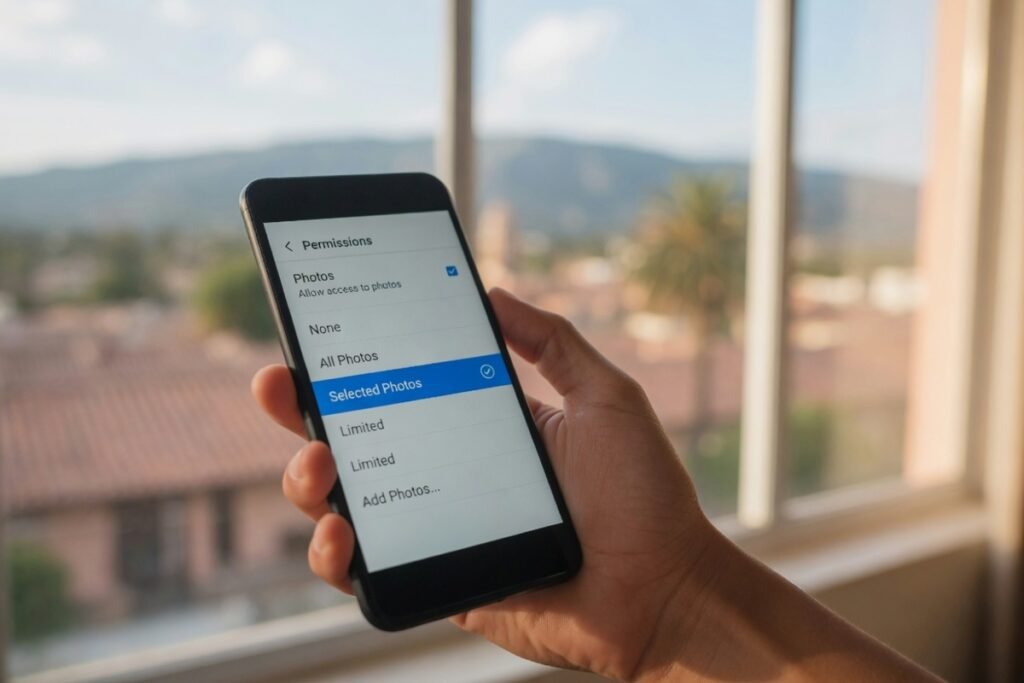
Settings › Apps › App Management › Instagram › Permissions › Photos and Videos › Allow Limited Access
iOS
Settings › Apps › Instagram › Photos › Selected Photos (not “All Photos”)
Important note: Some Android manufacturers insert an additional confirmation dialogue after selecting “Allow Limited Access.” Verify the selection has saved before exiting the permissions screen. On iOS, “Selected Photos” restricts Instagram to only the specific images you manually select for upload — it does not grant access to the full camera roll or its metadata.
The Bottom Line
This is the only one of the four mechanisms that operates at device level rather than account level. Specifically, it survives app uninstall and reinstall unless the user explicitly changes the operating system permission. Furthermore, after a major iOS or Android OS update, app permissions occasionally revert to default — which on some devices means full photo access. The practical protocol is to verify this permission after every major OS update, not just before travel.
Sunset Weekly Digital Security Expert Observation “The camera roll permission is the setting most travellers have never checked. Full photo access on a device containing GPS-tagged holiday photographs is functionally equivalent to handing over a timestamped location log. It takes ten seconds to change and the change holds until the next OS update resets it.”
Sunset Weekly Intel: The operating system permission change is the only one of the four fixes that does not require opening Instagram at all. For travellers who prefer to complete pre-departure security checks on a desktop or in a location with a trusted network, this specific action should be completed first — before connecting to any airport or hotel Wi-Fi.
2. Off-Platform Web and App Activity Tracking — Meta Follows You Across the Entire Internet
Essential Facts: Meta embeds tracking pixels and software development kits (SDKs) across hundreds of third-party websites and mobile apps. When you browse a hotel comparison site, a travel insurance platform, or a foreign news outlet, Meta receives a signal — even if Instagram is closed. Meta matches that signal to your Instagram profile and uses it to build a cross-web behavioural graph that shapes which advertisements follow you. The fix is a single navigation sequence inside Accounts Centre.
What Is Actually Happening
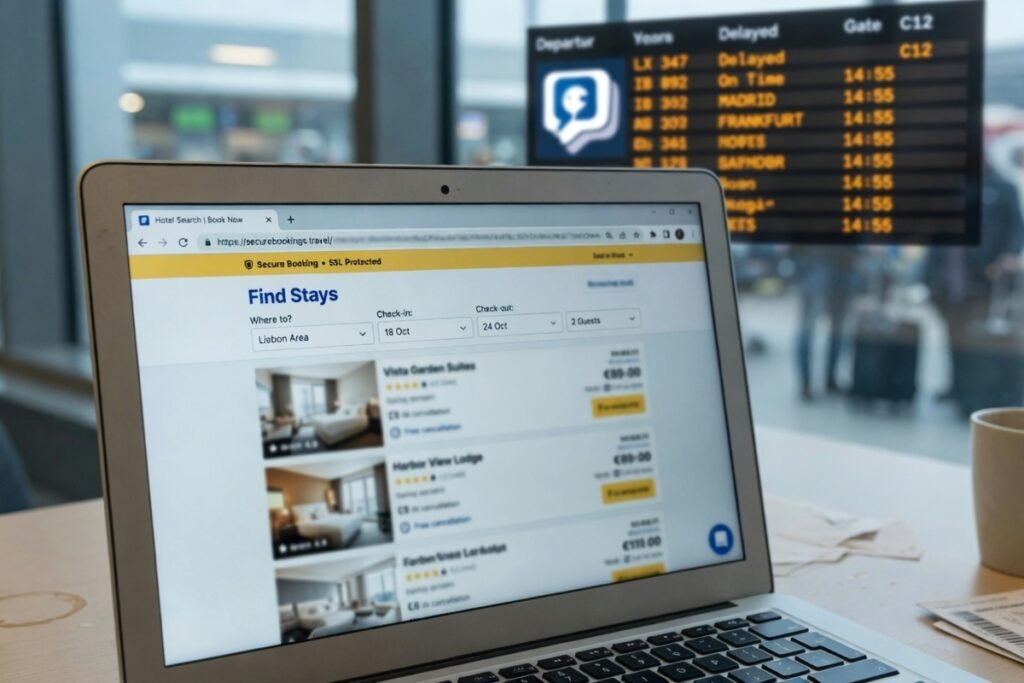
Meta’s advertising infrastructure extends far beyond its own platforms. When a third-party website or app installs a Meta tracking pixel or SDK, that site transmits a signal to Meta every time a visitor lands on the page — regardless of whether that visitor is logged into Instagram or even has an Instagram account. For logged-in users, Meta matches these signals to the corresponding profile. The result is a cross-web behavioural graph: a structured record of which sites you visited, which products you viewed, which searches you conducted, and how long you spent on each page.
For a traveller, this graph grows rapidly. Hotel comparison sites, flight booking platforms, travel insurance providers, foreign language news outlets, and destination guide websites all commonly carry Meta tracking infrastructure. Consequently, a two-week trip research session generates a dense behavioural dataset that directly shapes the advertising you receive across Instagram, Facebook, and Meta’s wider network — often before you have made a single booking.
The Fix — Accounts Centre Navigation
This setting lives inside Accounts Centre, not Instagram’s standalone privacy settings. Specifically, Accounts Centre is a unified Meta settings hub accessible from within the Instagram app.
Android and iOS
Instagram app › Three-line menu (top right) › Accounts Centre › Your Information and Permissions › Your Activity Off Meta Technologies › Manage Future Activity › Disconnect Future Activity
Critical additional step: Disconnecting future activity stops new signals from being added to your off-platform activity log, but it does not delete the existing log. To clear the historical record, navigate to:
Accounts Centre › Your Information and Permissions › Your Activity Off Meta Technologies › Clear History
The two-step sequence — disconnect future activity and clear existing history — is the action most users miss. Completing only the first step leaves the accumulated behavioural dataset intact, allowing Meta to continue using it in ad targeting.
The Bottom Line
The off-platform activity disconnect takes effect immediately for future browsing activity. However, the existing dataset stays intact until you manually clear it. Furthermore, this setting applies across all Meta platforms simultaneously — disconnecting through Instagram also disconnects the same tracking for Facebook and Messenger under the same account. Consequently, this single navigation sequence has the broadest data protection scope of the four fixes in this guide.
Sunset Weekly Digital Security Expert Observation “Off-platform tracking is the mechanism that surprises people most when they understand its scope. Instagram does not need to stay open for Meta to collect the data. The user does not need to visit any Meta property during the browsing session. A VPN encrypts your traffic — it does not prevent Meta’s pixel on a third-party website from reporting your visit. These are two entirely different threat vectors.”
Sunset Weekly Intel: This is the most operationally powerful of the four fixes for travellers specifically. A pre-departure travel research session — flights, hotels, insurance, destination guides — generates precisely the type of high-density cross-site browsing data that Meta’s advertising system is optimised to harvest and monetise. Clearing the history and disconnecting future activity before that research session begins eliminates the entire feedback loop.
Sunset Weekly VPN Guide for Travellers: The Seven Providers Compared
A VPN does not stop Meta’s off-platform tracking — that requires the account-level fix above. However, a VPN addresses a separate and equally real travel security risk: encrypting your browsing traffic on unfamiliar hotel, airport, and café Wi-Fi networks where your data is otherwise exposed. For travellers who regularly connect to public networks, a VPN is the complementary layer to the four Instagram fixes in this guide.
The seven providers below each hold affiliate relationships with Sunset Weekly. All data is confirmed from official provider websites and independent review sources, May 2026.
The Top Four: Speed, Value, and Multi-Device Cover
| Provider | Best For | Servers | Countries | Connections | Jurisdiction | Key Travel Feature |
|---|---|---|---|---|---|---|
| NordVPN | Speed and server breadth | 9,300+ | 137 | 10 devices | Panama (outside 14 Eyes) | Threat Protection Pro blocks ad trackers even when VPN is off. Six independent no-logs audits including PwC and Deloitte |
| Surfshark | Multi-device households and budget value | 4,500+ | 100+ | Unlimited | Netherlands | Unlimited simultaneous connections — one subscription covers every device you travel with. Nexus technology routes traffic through multiple servers |
| ExpressVPN | Consistent speed across all locations | Undisclosed | 105 | 8–14 (plan dependent) | British Virgin Islands | Consistently ranked fastest for long-distance connections. Lightway protocol optimised for mobile data |
| PureVPN | Advanced identity protection | 6,500+ | 78+ | 10 | British Virgin Islands (outside 14 Eyes) | Quantum-resistant servers and split tunneling on all platforms. Premium tiers include data breach monitoring and dark web alerts |
The Next Three: Streaming, Protocols, and Public Wi-Fi
| Provider | Best For | Servers | Countries | Connections | Jurisdiction | Key Travel Feature |
|---|---|---|---|---|---|---|
| CyberGhost | Streaming and beginner-friendly setup | 11,500+ | 100 | 7 | Romania (outside 14 Eyes) | Dedicated streaming-optimised servers. Largest server network of the seven — widest exit node choice across all three World Cup host nations |
| TorGuard | Protocol flexibility and customisation | 3,000+ | 50+ | 8 | United States | Widest protocol range of the seven — WireGuard, OpenVPN, iKEV2, SSTP, and OpenConnect. Dedicated streaming IP addresses available as add-on |
| IPVanish | Unlimited connections and public Wi-Fi protection | 2,400+ | 40+ | Unlimited | United States | Double Hop VPN routes traffic through two servers — specifically engineered for travellers using hotel and airport Wi-Fi. Unlimited connections included |
Sunset Weekly may earn a commission on subscriptions purchased through the links above. This does not affect the data in this table, which is sourced from official provider websites and independent review sources. All providers listed offer a money-back guarantee — check each provider’s current terms before purchasing.
Which VPN Suits Which Traveller
- Travelling across multiple countries on one trip: NordVPN (9,300+ servers, widest geographic coverage) or CyberGhost (11,500+ servers, largest overall network)
- Protecting multiple devices — phone, laptop, tablet — under one subscription: Surfshark or IPVanish (both offer unlimited simultaneous connections)
- Prioritising speed for streaming and video calls while abroad: ExpressVPN (fastest long-distance performance in 2026 independent tests)
- Wanting advanced identity protection beyond VPN: PureVPN (data breach monitoring, dark web alerts, quantum-resistant servers)
- Needing maximum protocol flexibility or a custom setup: TorGuard (broadest protocol support of the seven)
- Regularly using hotel and airport Wi-Fi: IPVanish (Double Hop specifically engineered for public network risk scenarios)
3. Offline Purchase Matching — Your In-Store Transactions Are Being Linked to Your Profile
Essential Facts: Retailers — including airlines, hotel chains, travel gear companies, and pharmacies — periodically upload hashed customer lists (email addresses and phone numbers) to Meta’s advertising platform. Meta matches these lists against registered Instagram accounts. The result: Meta can use a transaction you completed in a physical shop, or a booking you made on a retailer’s own website, to serve targeted advertising within Instagram — without you having visited any Meta property during that transaction. The fix is a four-step navigation sequence inside Accounts Centre.
What Is Actually Happening
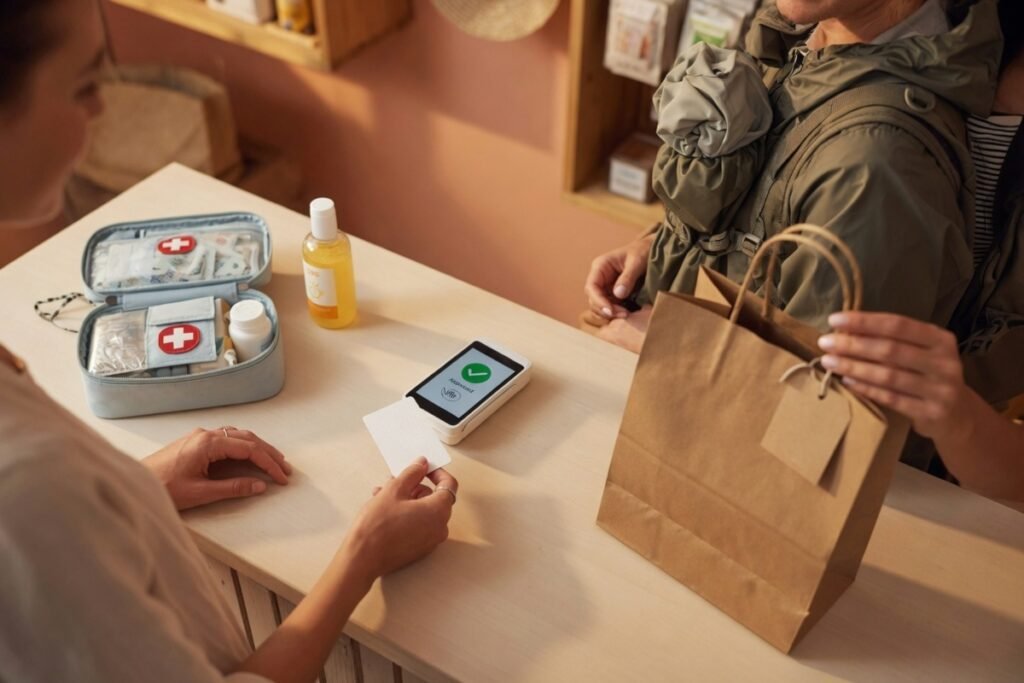
This mechanism operates entirely outside the digital environment. When a customer makes a purchase — in a physical retail location, on a retailer’s own website, or via a loyalty programme — the retailer may hold an email address or phone number associated with that transaction. Some retailers periodically upload these customer records to Meta’s advertising platform in a hashed format. Meta then attempts to match those records against the email addresses and phone numbers that users have registered to their Instagram and Facebook accounts.
For travellers, the practical consequence is significant. When you book a flight directly with an airline, purchase travel insurance by phone, buy luggage at an airport retail outlet, or exchange currency at a high street bureau, each transaction can generate a matched record — if the retailer participates in Meta’s partner data programme. That matched record then informs the advertising targeting applied to your Instagram feed, independent of any interaction with Meta’s platforms.
The Fix — Ad Preferences Navigation
Android and iOS
Instagram app › Three-line menu (top right) › Accounts Centre › Ad Preferences › Manage Info › Activity Information from Ad Partners › Review Setting › Select “No”
This setting instructs Meta not to use information that advertising partners send to it when targeting ads at your account. It does not prevent retailers from uploading their customer lists — that is a relationship between the retailer and Meta — but it removes your account from the matching process.
The Bottom Line
This is the least visible of the four mechanisms because it requires no action from the user and leaves no trace in normal app usage. Specifically, a traveller who never clicks an Instagram advertisement, never visits a Meta-owned website, and never shares any personal information with Meta directly can still find offline purchase matching applied to their account — because the data transfer happens between the retailer and Meta, not between the user and Meta. Consequently, most users who have not specifically reviewed this setting remain exposed to it without realising.
Sunset Weekly Digital Security Expert Observation “Offline matching is the mechanism that operates furthest outside the user’s normal mental model of how data sharing works. People understand that browsing a website might result in retargeted ads. They do not typically expect that buying sun cream in a Boots near the airport has any connection to their Instagram feed. For frequent travellers who make multiple trip-related purchases in the weeks before departure, this mechanism generates a particularly detailed pre-trip profile.”
Sunset Weekly Intel: The pre-travel retail window — travel gear purchases, foreign currency, travel insurance, airport pharmacy runs, hotel bookings made by phone — generates exactly the pattern of offline transactions that this mechanism is designed to harvest. Completing this setting change before that pre-departure purchasing window closes the loop before it opens.
4. Generative AI Training on Your Public Content — Your Travel Photography Is Building Meta’s AI Models
Essential Facts: For users aged 18 and over, Meta’s current terms permit the use of publicly visible photographs, captions, and posts to train its generative AI models. This applies retroactively to previously published public content. Travel photography — location-tagged images, destination captions, cultural documentation — is among the highest-volume and highest-quality training data available on the platform. The fix is a formal objection request submitted via Privacy Centre, not an instant toggle. It triggers a confirmation email, and applicable data protection law governs its processing for UK and EU users.
What Is Actually Happening
Meta’s generative AI systems — including Meta AI, the image generation tools embedded in WhatsApp and Instagram, and the underlying Llama model family — require large volumes of real-world visual and textual content to produce outputs that reflect authentic human experience. Public Instagram posts, particularly travel photography with descriptive captions, provide high-quality training data: geographically diverse imagery, natural language descriptions of real locations, and cultural documentation from across the world.
For users aged 18 and over whose accounts are set to public, Meta’s terms of service permit this use of their content. Specifically, this covers photographs, video, captions, comments, and any other content that non-followers can see. Furthermore, it applies retroactively — meaning this policy also covers content published before it existed, not only future posts.
For travellers, the practical consequence is that Meta and third parties licensed to use its models may incorporate years of publicly shared travel photography — including images of specific locations, accommodation, cultural sites, and local communities — into AI training datasets and use them to generate synthetic content.
The Fix — Privacy Centre Objection Request
This fix differs from the previous three in one important respect: it is not an instant toggle. Instead, it is a formal data processing objection request that applicable data protection law requires Meta to acknowledge and act upon. For UK and EU users, this right is grounded in Article 21 of UK GDPR and EU GDPR respectively.
Android and iOS
Instagram app › Three-line menu (top right) › Privacy Centre (scroll to the bottom of the menu — it is not prominently positioned) › AI at Meta › Information You’ve Shared on Meta Products › Enter your registered email address › Submit objection request
Meta will send a confirmation email to the registered address. Retain this email as a timestamped record of your objection.
The Bottom Line
This objection request is legally distinct from an account-level settings toggle. Specifically, Meta cannot refuse a valid objection from a UK or EU user without demonstrating compelling legitimate grounds that override the individual’s rights — a high legal threshold. However, there is no statutory deadline for processing the request, and users outside the UK and EU rely on Meta’s voluntary policy commitments rather than a statutory right. Consequently, the practical recommendation is to submit the request as far in advance of travel as possible, retain the confirmation email, and follow up with your national data protection authority if you receive no acknowledgement within 30 days.
Important note: Privacy Centre is not prominently positioned in Instagram’s menu architecture. Specifically, it requires scrolling past a significant portion of the three-line menu before it becomes visible. This navigation friction is not accidental — Meta has no commercial incentive to make this option discoverable.
Sunset Weekly Digital Security Expert Observation “The AI training objection is the setting that travellers with large public archives should prioritise most urgently. Every publicly shared travel photograph — tagged with a location, described with a caption, published over years of trips — is potentially in Meta’s training pipeline. The objection request is a legal mechanism, not a courtesy, for UK and EU users. Submit it, retain the confirmation, and file it alongside your travel documents.”
Sunset Weekly Intel: Action the AI training objection first in the four-step sequence, before completing the remaining three fixes. This is because the objection triggers a processing timeline that begins from the moment of submission — not from when Meta reviews it. Starting the clock before completing the other three settings means the AI training objection has the maximum lead time possible.
Head-to-Head: The Four Tracking Mechanisms Compared
All navigation paths verified for current Instagram app builds on Android and iOS, May 2026. Fix type and persistence confirmed from platform architecture. UK GDPR Article 21 and EU GDPR Article 21 provide the legal basis for Mechanism 4.
| Mechanism | Data Collected | User Action Required | Fix Type | Persists Across App Updates? | Time to Fix |
|---|---|---|---|---|---|
| Camera Roll Metadata | GPS coordinates, timestamps, device model from all photos | OS-level permission change | Instant toggle | Yes — OS-level; recheck after major OS updates | 30 seconds |
| Off-Platform Tracking | Cross-web browsing behaviour across 100s of sites and apps | Accounts Centre disconnect + clear history | Instant (future); manual clear (past) | Yes — account-level | 60 seconds |
| Offline Purchase Matching | Retail transaction records matched via email/phone number | Accounts Centre Ad Preferences | Instant toggle | Yes — account-level | 45 seconds |
| AI Training on Public Content | Public photos, captions, posts used to train generative AI | Privacy Centre objection request | Legal process — not instant | Yes — account-level | 60 seconds + email confirmation |
⚠️ Recommended action sequence: Complete the AI training objection (Mechanism 4) first to start the processing clock. Then complete Mechanisms 3, 2, and 1 in that order. Total elapsed time: under four minutes.
The Data Hack: The Two-Step Off-Platform Fix Most Travellers Miss
Insider Tip — Backed by Platform Architecture Analysis
The single most commonly incomplete action in this entire guide is the off-platform tracking fix (Mechanism 2). Specifically, the majority of users who action this setting complete only the first step — disconnecting future activity — without completing the second step of clearing the existing activity history.
The operational difference is material. Disconnecting future activity prevents new browsing signals from being added to your profile from the moment you change the setting. However, it leaves intact every signal Meta has already collected — potentially years of cross-web browsing data that every device you have used Instagram on has accumulated. That existing dataset continues to inform ad targeting indefinitely unless you explicitly clear it.
The correct two-step sequence is:
Step 1: Accounts Centre › Your Information and Permissions › Your Activity Off Meta Technologies › Manage Future Activity › Disconnect Future Activity
Step 2: Return to: Your Activity Off Meta Technologies › Clear History
Both steps must be completed in the same session to achieve a clean result. Furthermore, the “Clear History” option does not appear until after future activity has been disconnected on some app versions — making the sequence order, not just the completion of both steps, operationally important.
For a traveller completing this audit before a major trip, the clean result — future activity disconnected, historical log cleared — means the pre-travel research session that follows starts from a blank behavioural slate. That is the maximum achievable privacy outcome from this specific mechanism.
Expert Verdict: Sunset Weekly Digital Security Assessment
Sunset Weekly Expert Verdict — Digital Security
“Travellers are a disproportionately high-value data target for the simple reason that travel behaviour is commercially extraordinary. Your research session targets expensive, high-intent purchases. Crossing jurisdictions puts your data under unfamiliar legal frameworks. Unfamiliar networks increase your exposure with every connection. And throughout all of this, your device documents your location in real time — with Instagram installed and running on default permissions.
The four mechanisms in this guide are not edge cases or obscure advertising industry practices. Meta builds them into the default settings and requires deliberate user action to disable each one. The traveller who completes this four-step audit before departure is not doing something unusual. They are simply doing what Meta’s own settings architecture permits — but does not encourage.
The single most important point I would make to any traveller reading this is: a VPN does not solve this problem. A VPN encrypts your network traffic between your device and the VPN server. It does nothing to prevent Instagram from reading your camera roll, nothing to prevent a hotel booking site from reporting your visit via a Meta pixel, nothing to prevent a retailer from uploading your email address to Meta’s advertising platform, and nothing to prevent Meta from using your public travel photographs to train its AI models. These are four entirely different data flows, each requiring a specific setting change. The four steps in this guide take under four minutes. The cost of not completing them is a data profile that compounds with every trip you take.”
— Digital Safety Consultant & Travel Security Specialist
Practical Pre-Travel Digital Security Checklist
The Pre-Departure Two-Phase Audit
For travellers, the optimal sequence for completing this audit divides into two phases based on timing relative to departure.
Phase 1: At least 30 days before departure — action the legal mechanisms
- Submit the AI training objection (Mechanism 4) — requires email confirmation and processing time
- Disconnect off-platform activity and clear history (Mechanism 2) — takes effect immediately but benefits from early action before pre-travel research begins
- Review account visibility: audit which Instagram posts are set to public, particularly location-tagged travel photography from previous trips
Phase 2: 48 hours before departure — action the device-level settings
- Verify camera roll permission (Mechanism 1) — confirm it is set to “Limited Access” or “Selected Photos”
- Complete offline purchase matching opt-out (Mechanism 3) if not yet done
- Recheck the off-platform activity setting after any OS updates that may have occurred since Phase 1
Pre-Travel Digital Security Deadlines
For a travel departure date, the table below provides the recommended action timeline for each of the four mechanisms.
| Mechanism | Recommended Action Timing | Notes |
|---|---|---|
| AI Training Objection (Mechanism 4) | 30+ days before departure | Requires legal processing time; earlier = more lead time |
| Off-Platform Tracking (Mechanism 2) | Before pre-travel research begins | Clears the slate before hotel/flight browsing generates data |
| Offline Purchase Matching (Mechanism 3) | Before pre-travel retail purchases | Action before travel gear, insurance, and pharmacy runs |
| Camera Roll Permission (Mechanism 1) | 48 hours before departure | Recheck after any OS update; takes effect immediately |
Overall recommendation: Complete Mechanism 4 at the point of deciding to take a trip — the earlier the submission, the more processing time Meta has before departure. Complete Mechanisms 2 and 3 before the pre-travel research and purchasing window. Verify Mechanism 1 in the 48 hours before departure as part of a standard device security check.
The Three Non-Negotiable Rules for Travel Digital Security
Three rules govern effective digital security for travellers using Instagram.
Rule 1: Never Grant Full Photo Access on a Travel Device
Full photo access on a travel device is a confirmed security risk. Specifically, a device containing GPS-tagged photographs from your destination — your hotel, your daily routes, your visited landmarks — provides Instagram with a real-time location log even if you never post a single photograph publicly. Limited access eliminates this risk entirely at the cost of a minor upload inconvenience.
Rule 2: Complete Both Steps of the Off-Platform Fix
The most common incomplete action in this guide is disconnecting future off-platform activity without clearing the existing history. In practice, completing only the first step leaves the accumulated behavioural dataset intact. Both steps — disconnect and clear — must be completed in the same session for the fix to be operationally complete.
Rule 3: Submit the AI Objection Before the Trip, Not After
The AI training objection is a legal process with a processing timeline. Submitting it after returning from a trip does not stop Meta from processing content you photographed and posted publicly during that trip. Specifically, for a traveller who posts publicly during a trip, Meta processes that content in real time. The objection request must precede the travel, not follow it, to have maximum protective effect.
How to Verify Your Settings Are Saved
All four settings can be verified after completion. Use the following confirmation checks.
- Camera roll (Mechanism 1): Return to Settings › Apps › Instagram › Photos and confirm the permission reads “Limited Access” or “Selected Photos.” If you see a full permissions grant, the setting did not save correctly — reapply it before closing.
- Off-platform tracking (Mechanism 2): Return to Accounts Centre › Your Information and Permissions › Your Activity Off Meta Technologies. If you have successfully disconnected future activity, the status confirms this. If the history list shows empty, you completed the clear step successfully.
- Offline purchase matching (Mechanism 3): Return to Accounts Centre › Ad Preferences › Manage Info › Activity Information from Ad Partners. The setting should read “No.”
- AI training objection (Mechanism 4): Check the registered email address for a confirmation from Meta. If no email has arrived within 72 hours, resubmit the request and note the resubmission date.
FAQ: Your Instagram Travel Privacy Questions Answered
Q1: Do these four settings need to be repeated every time I travel, or do they persist permanently?
The three account-level settings — off-platform tracking, offline purchase matching, and the AI training objection — live at the account level and persist across device changes, app reinstalls, and international travel. They do not need repeating for each trip. However, the AI training objection covers content published up to the date of submission: Meta does not automatically extend the objection to new public posts you publish after that date, and those posts may require a subsequent objection if Meta’s policy does not cover them going forward. The camera roll permission lives at the operating system level and persists across app updates, but major iOS and Android OS updates occasionally reset app permissions to default. The practical protocol is to verify the camera roll permission once after each major OS update — not before each trip.
Q2: Does disabling these four settings affect how Instagram performs, or will the app stop working?
None of the four settings affect the core functionality of Instagram. Specifically, the camera roll permission change to “Limited Access” or “Selected Photos” means Instagram can no longer browse your full camera roll automatically — you will need to select photographs manually when uploading, rather than seeing suggested content from your library. The off-platform tracking disconnect, the offline purchase matching opt-out, and the AI training objection have no effect on feed loading speed, Stories functionality, messaging, or any other feature. The only observable change involves advertising — as the data pipelines that feed targeting decisions shrink, the ads you see become less precisely targeted over time.
Q3: Is the AI training objection legally enforceable, and what recourse do UK and EU travellers have if Meta does not comply?
For users in the United Kingdom, the objection right is grounded in Article 21 of UK GDPR, enforced by the Information Commissioner’s Office (ICO). For users in the European Union, the equivalent right exists under Article 21 of EU GDPR, enforced by the relevant national supervisory authority in the user’s country of residence. In both frameworks, both laws require Meta to stop processing the user’s data for AI training unless it can demonstrate compelling legitimate grounds that override the individual’s interests — a high legal threshold. If Meta fails to respond to a valid objection within a reasonable timeframe, UK users can file a complaint directly with the ICO at ico.org.uk. EU users should contact their national data protection authority. Retain the confirmation email from the original submission as timestamped evidence of the objection.
Sunset Weekly Travel Tips · Digital Security Series Published: May 2026 · Sunset Weekly verified all navigation paths against current Instagram app builds on Android and iOS, May 2026. UK GDPR Article 21 and EU GDPR Article 21 rights confirmed. Sunset Weekly confirmed all four mechanisms and opt-out sequences from Meta’s current platform architecture.
Editorial & Accuracy Standards
- Expert Review:
Ammara Azmat,
Senior Travel Mobility Analyst (12+ years experience) - Status: Verified for accuracy against official 2026 service data and real-time traveller reports.
- Our Process: This content follows our Fact-Checking Policy.